Copy link
Navigating the Wobbly.me Menu
Here's a brief overview of the Wobbly.me menu:
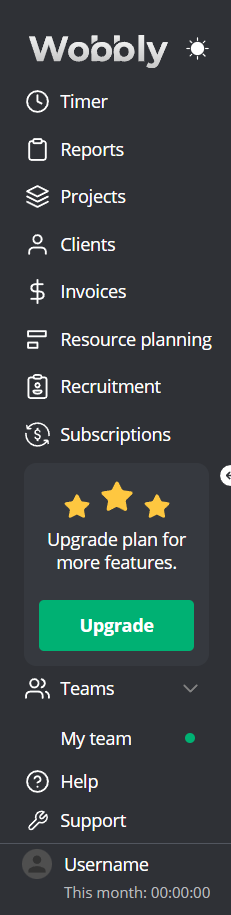
- Wobbly Logo: Takes you directly to the Timer page.
- Sun/Moon Icon: Change the platform theme with a single click.

Key pages to familiarize yourself with:
- Timer Page: Track the time spent on tasks and projects using our timer feature.
- Reports Page: Generate productivity reports including time logs and project summaries.
- Projects Page: A space to create, view, and manage your projects.
- Clients Page: Manage your client list - add new clients and update client information.
- Invoices Page: Create and manage invoices for your clients.
- Resource Planning Page: Allocate resources, such as team members, to different projects and tasks.
- Subscriptions Page: Manage your Wobbly.me subscription, upgrade or downgrade plans, and view payment history.
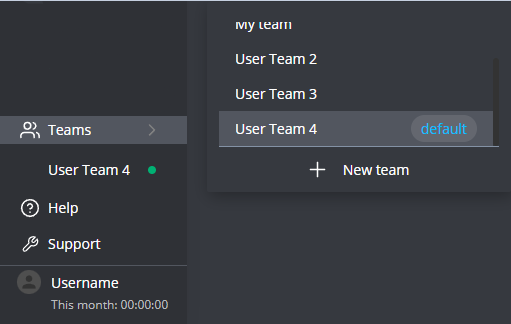
- Teams: Switch between teams or create new ones.
My Team and Profile Settings

My Team: The name displayed is your current team. Click on it to open a detailed view of the team.
Help Button: Access Wobbly.me's help center, where frequently asked questions are addressed.
User's First and Last Name: Click on your name to access your profile settings or to log out.

This Month: hh:mm:ss: This shows the total hours you've tracked in the current month.
