Copy link
Subscription
The Subscription page in Wobbly.me allows you to manage your subscription plan according to your needs. The platform offers both monthly and annual subscription options.
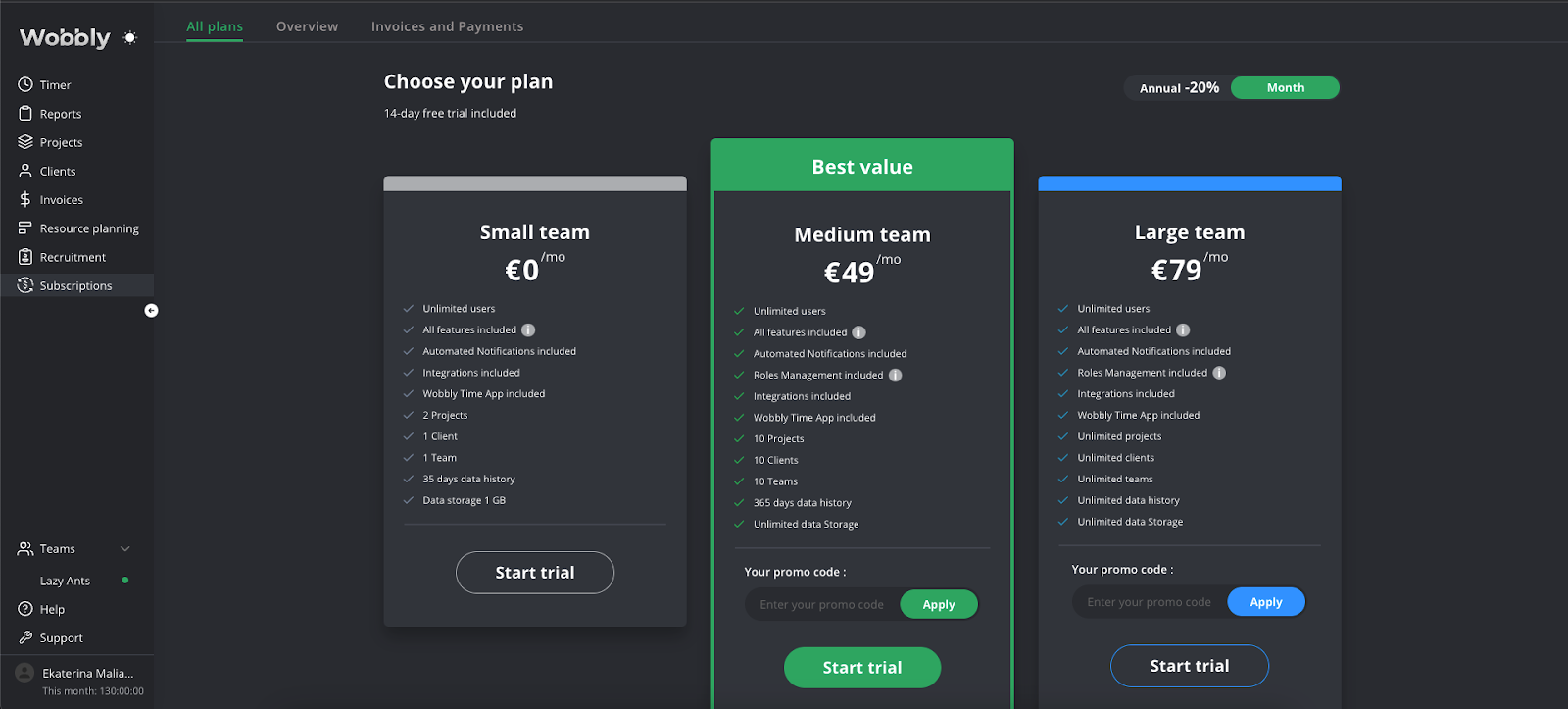
The Subscription page has two main tabs: Overview and Invoices & Payments.
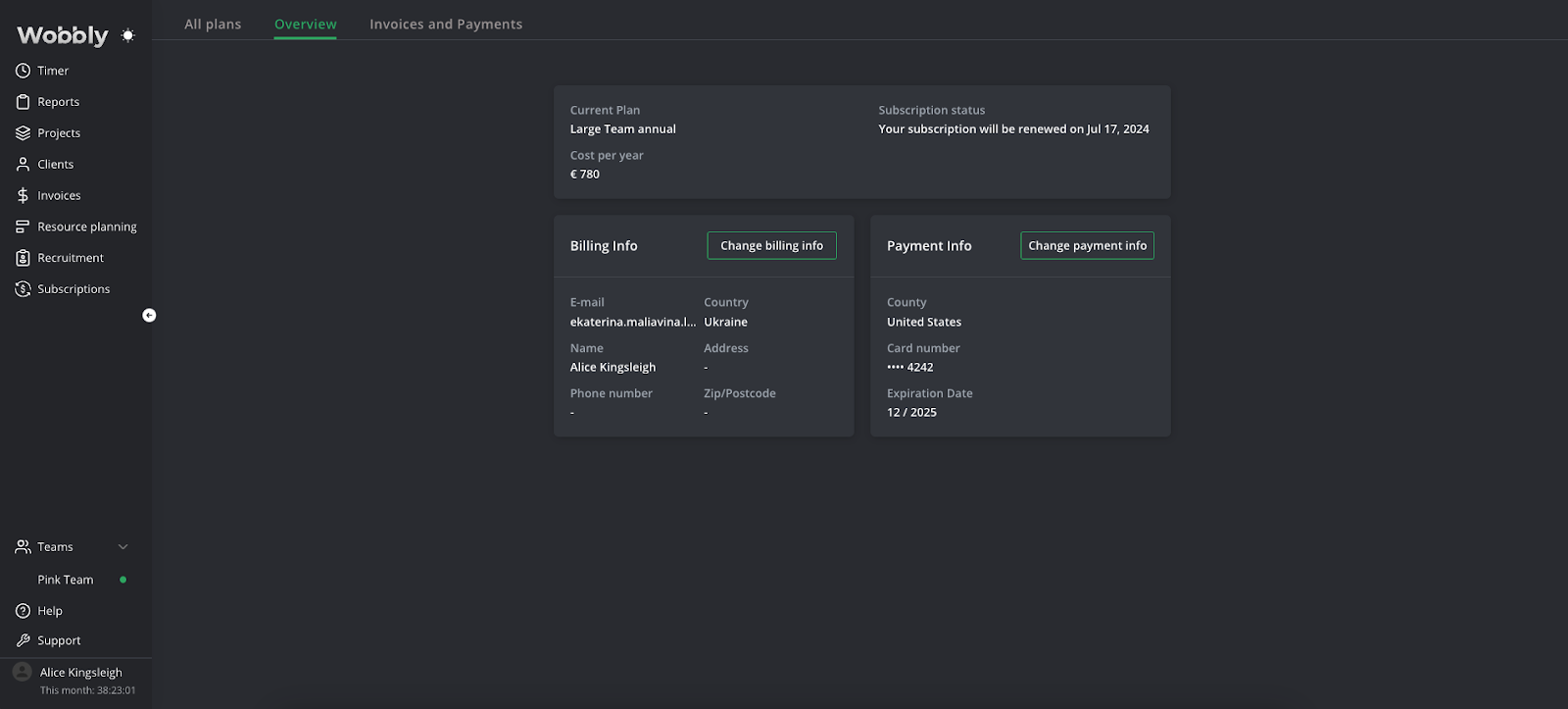
Overview: This tab gives you an overview of your current plan, including the features it offers and its cost. This is where you can review and modify your plan according to your team's needs.
You also have the options to change your billing and payment information in this tab. This includes updating your card information, billing address, and any other payment details.
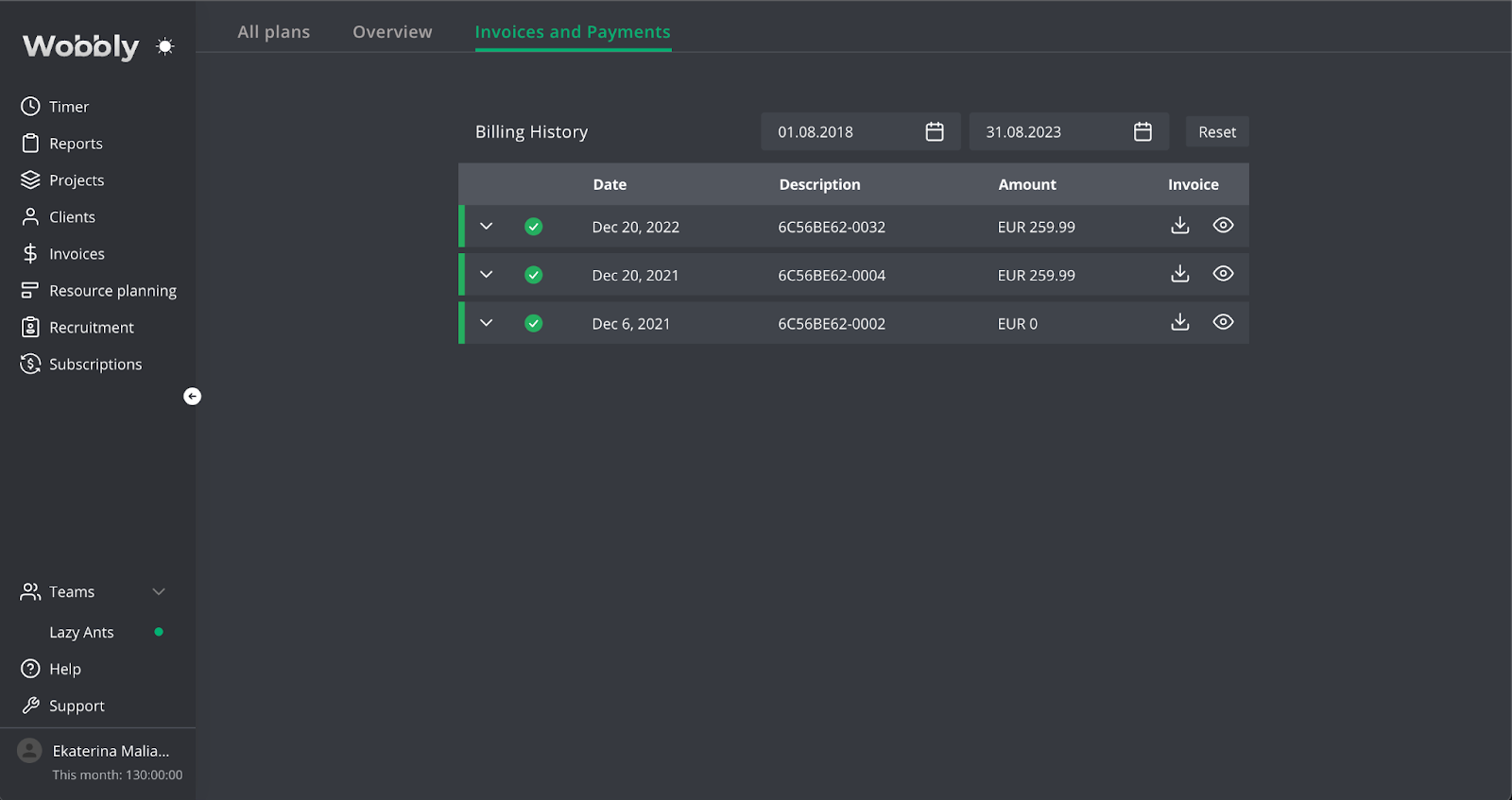
Invoices & Payments: This tab allows you to view your billing history. It lists all the invoices generated for your subscription along with their status - paid, unpaid, or overdue. This can be particularly useful for accounting and budgeting purposes.
By navigating between these two tabs, you can have full control over your subscription with Wobbly.me and manage your expenditures effectively.