Copy link
Synchronizing with Jira
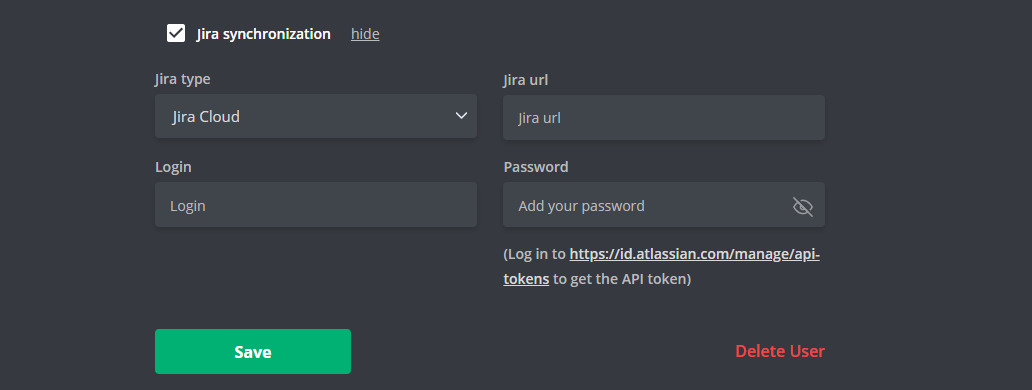
Your Wobbly.me user profile offers the ability to synchronize with your Jira account, facilitating seamless integration between the two platforms. To set this up:
- Jira Type: Select your Jira account type, either Jira Cloud or Jira self-hosted.
- Jira URL: Provide the URL for your Jira account. Typically, it's in the format of https://yourcompanyname.atlassian.net.
- Login: Enter your Jira account login information - username or email address.
- Password: Enter your Jira account password.
This synchronization streamlines your project management workflow, enabling you to track time, manage tasks, and analyze productivity from a single interface.